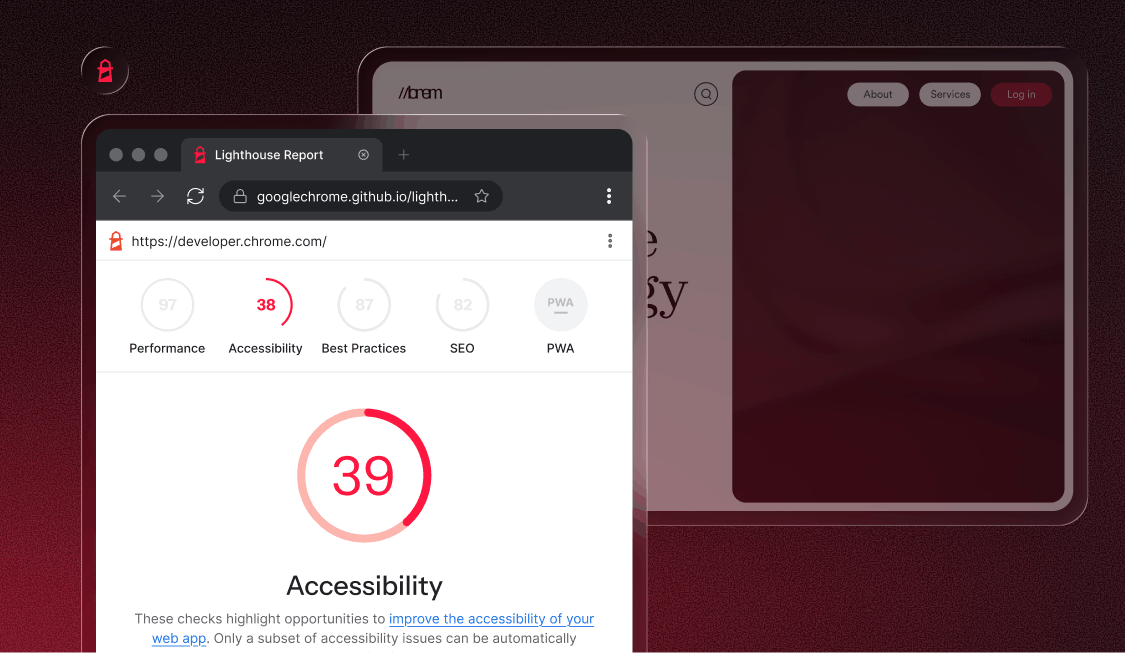
If you’ve run a Lighthouse audit recently and noticed a new category you don’t recognize, you’re not alone. Google has added an “agentic browsing” section to Lighthouse, and it reflects a genuine shift in how the web is being used — and evaluated.
The premise is straightforward: for most of the web’s history, automated systems that “read” your site were search crawlers: they indexed text and followed links. AI agents are different. They don’t just read — they act. They fill out forms, click buttons, complete checkout flows, and navigate on behalf of users.
The agentic browsing audit asks a simple but pointed question: can an AI agent actually use your site without getting stuck?
This post breaks down what the audit covers, how to run it, and — most importantly — where to focus your energy right now.
What the agentic browsing audit actually tests
The four checks cover an llms.txt file, the WebMCP protocol, your site’s accessibility tree, and cumulative layout shift. They break down into two distinct categories:
- Still taking shape: llms.txt and WebMCP are emerging AI-specific standards. Most sites will fail one or both right now, and that’s expected.
- Established foundations: The accessibility tree and CLS are things the accessibility and performance communities have been working on for years. If you’ve been doing this work, you’re already ahead.
Here’s what each one actually evaluates.
1. llms.txt
llms.txt is a proposed standard — similar in concept to robots.txt — where you place a markdown-formatted file at your root domain (e.g., yoursite.com/llms.txt) that gives AI models a scannable summary of your site’s content and structure. It’s designed to help large language models understand your site quickly without having to parse every page.
It’s not an official standard yet, and its real-world benefit remains contested. We cover what that means for your priorities in the section below
2. WebMCP (Web Model Context Protocol)
WebMCP is an experimental protocol that provides explicit, machine-readable definitions of what interactive elements on your page do — what a particular button triggers, what a form submits, what an action accomplishes. Rather than making an AI agent guess the function of an element from context, WebMCP tells it directly.
Because the specification is still actively being developed, most sites will fail this check. That’s expected.
Don’t treat a WebMCP failure as an urgent problem — treat it as a signal to monitor as the protocol matures.
3. Accessibility tree
If you’ve been following the conversation around AEO and web accessibility, this check will feel like familiar territory. The argument there — that LLMs function as non-visual users, relying on the same semantic structure that screen readers depend on — is exactly what Google is now formally measuring here.
Google’s own documentation goes further, describing the accessibility tree as agents’ “primary data model.”
The accessibility tree is the semantic structure of your site: the map that assistive technologies use to understand and navigate your content. Roles, names, states, relationships — all defined through semantic HTML and ARIA attributes.
AI agents traverse that same map. A button with no accessible name is invisible to a screen reader user, and equally invisible to an AI agent trying to complete a task.
The most common accessibility errors — missing ARIA labels, improperly nested elements, unlabeled form fields, and broken focus management — all create barriers for both populations. Fixing them serves everyone.
What this means if you’re already relying on accessiBe’s platform
If you’re using accessWidget, the AI-powered remediation running in the background is actively working on many of the issues this audit surfaces — ARIA labels, element roles, focus management. If your team works in accessFlow, the auditing and monitoring workflows built into the platform are designed for exactly this kind of structural review. And if accessiBe’s experts have audited your site, the findings from that process map directly onto what the accessibility tree check is measuring. None of these replace a full remediation pass, but they give you a meaningful baseline — and in many cases, a significant head start.
4. CLS (Cumulative Layout Shift)
CLS has been a Core Web Vital for some time, measuring how much your page moves around while it’s loading. For human users, unexpected layout shifts are disorienting. For AI agents, they’re a functional hazard — an agent that clicks a button at position X can end up triggering something else entirely if the layout shifts after the click was initiated.
The most common causes are images without set dimensions, fonts that load late, and content that gets injected above the fold after the page has already started rendering. These aren’t rare edge cases — they show up on most sites that use third-party scripts or dynamic content.
A poor CLS score means an agent may take the wrong action even when it fully understands the page. For AI agents completing tasks on behalf of users — purchases, form submissions, bookings — that’s not a minor inconvenience. It’s a failure.
What this means if you’re already relying on accessiBe’s platform
If your team works in accessFlow, layout stability is already part of your continuous monitoring — CLS issues get flagged as they emerge rather than surfacing in a one-time review. If accessiBe’s experts have audited your site, layout instability will have been part of their findings. Either way, you’re not starting from zero. For teams without that visibility yet, Lighthouse’s Performance audit is a good first look — but it’s a snapshot, not a monitoring solution.
How to run the audit
Google’s Chrome for Developers documentation is the authoritative reference for running the audit and interpreting results. Here’s the current setup:
Step 1: As of Lighthouse 13.3 (released May 7, 2026), the agentic browsing category ships in the default configuration. If you’re on Chrome 150 or later, the category appears in Lighthouse without any additional setup.
Step 2: If you’re running Chrome 130–149, you’ll still need to navigate to chrome://flags/#enable-webmcp-testing, set the flag to “Enabled,” and relaunch the browser.
Step 3: Open DevTools, go to the Lighthouse tab, check the “Agentic Browsing” option, and click “Analyze page load.”
Step 4: Review your pass/fail results across all four categories.
The audit runs like any other Lighthouse category — against your live page or a local build. Run it against your most interaction-heavy pages first: checkout flows, forms, account dashboards, booking interfaces.
Where to focus your effort right now
Given where the four audits stand today, prioritization matters. Not every check deserves equal attention — some are worth acting on immediately, others are worth watching but not rushing. Here’s how to think about each one.
1. Don’t stress about WebMCP yet
The protocol is in active development. No one expects sites to pass this check right now, and any implementation you build today may need to be revised as the spec evolves. Keep an eye on it, but don’t block other work on it.
2. llms.txt — understand it, but don’t rush it
llms.txt is a proposed standard where you place a markdown-formatted file at your root domain giving AI models a scannable summary of your site’s content.
The idea is sound, but the benefit is unproven.
Google’s official AI Optimization Guide (May 2026) explicitly states the file isn’t needed for Google Search, and no major AI provider has confirmed it influences how their systems source or cite content.
The one credible use case is developer-facing documentation sites, where AI coding tools like Cursor or GitHub Copilot may benefit from a clean content index. For most sites, it’s a wait-and-see. Monitor how the standard develops before investing time in it.
3. The accessibility tree is your highest-leverage investment
This is where meaningful work translates directly into passing the audit — and where that work has always mattered for reasons that go well beyond the intersection of AI and web accessibility.
Clean semantic HTML, properly labeled interactive elements, correct ARIA usage, logical heading structure, and descriptive link text all contribute to a well-formed accessibility tree. If your site already follows WCAG 2.1 guidance in these areas, you’re in a strong position. If it doesn’t, the accessibility tree audit gives you one more concrete reason to address it.
4. CLS is worth treating as a first-class concern
Audit your most dynamic pages for layout instability. Common culprits include images without defined dimensions, late-loading fonts, dynamically injected content above the fold, and ads or embeds that shift surrounding content.
Lighthouse’s existing Performance audit will surface these issues in detail.
The well-documented relationship between web accessibility and SEO means this kind of structural work pays dividends across multiple fronts simultaneously.
The bigger picture
What makes this audit worth paying attention to isn’t any single check — it’s what it signals. Google is now formally measuring something the accessibility and performance communities have argued for years: clean, well-structured markup isn’t a nice-to-have, it’s infrastructure. The underlying principle hasn’t changed — the agentic browsing audit just makes it impossible to ignore.
What this means if you’re already relying on accessiBe’s platform
For teams already working within accessiBe’s accessibility platform, a lot of this ground is already covered. The accessibility tree work, the structural remediation, the ongoing auditing — it’s the same foundation this audit is now scoring. The audit didn’t change what good looks like. It just made it measurable.
For teams that aren’t there yet, this audit is a concrete, Google-backed picture of exactly where the gaps are — and a good place to start. Schedule a one-on-one demo with an accessibility expert who can walk you through your site’s current posture and what a remediation path actually looks like.