Nearly 8 in 10 eCommerce leaders aren’t confident their sites are accessible — and it’s costing them revenue, reputation, and reach, according to accessiBe’s eCommerce industry report shared last month.
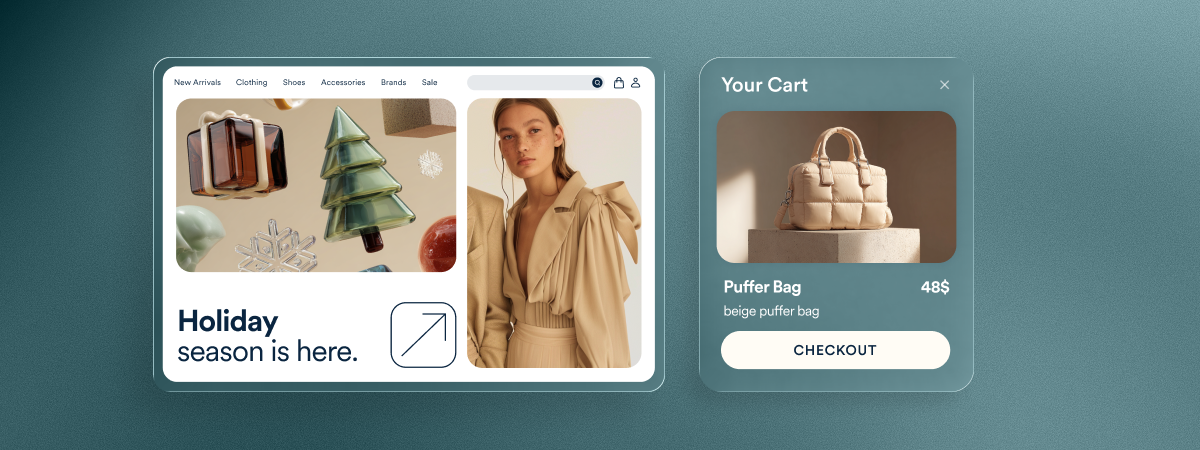
The holiday season is when brands show what they stand for and how they show up for customers. That’s why brand reputation relies on trusted business practices — and that’s where accessibility thrives. It aims to ensure everyone can engage with your products, services, and mission.
The World Health Organization estimates that one in four people globally live with a disability. No business wants to purposefully exclude 28% of the population, but that’s what happens without accessibility.
As a lawyer, a person with a disability, and accessiBe’s Community Relations Manager, I’ve seen how accessibility shapes public perception, customer loyalty, and legal risk. There has never been a more important time to make accessibility part of your brand values.
Accessibility as a business advantage
In accessiBe’s industry report, which surveyed more than 300 eCommerce leaders and members of the disability community, we found that awareness about accessibility is high, but execution still lags behind.
- 79% aren’t confident their websites meet accessibility requirements.
- 40% of brands haven’t audited their checkout in the past year.
- 24% say assistive technology doesn’t work on their checkout.
- Only 43% have a dedicated accessibility budget.
That gap between intention and action is where brands can either lose trust or gain lifelong customers. According to a study by Be My Eyes, companies that are proactive about accessibility and inclusion achieve, on average, 28% higher revenue, double the net income, and 30% higher profit margins than their counterparts.
From a legal standpoint, proactive accessibility mitigates risk. From a brand standpoint, it builds credibility. And from a growth standpoint, it unlocks opportunity. |
Accessibility is about credibility
1. Leverage accessibility to scale AI visibility
AI is transforming how people search, shop, and discover products. According to accessiBe’s 2025 AI Chat Search Report, the foundations of accessibility — structured data, descriptive alt text, clear hierarchy — are the same principles that improve visibility and discoverability for AI.
Benefits of accessible, AI-ready content:
- Visibility & Answer Engine Optimization: Alt text and structured markup ensures AI assistants cite your products accurately
- Conversion: Reliable and clear product descriptions build trust
- Brand equity: Inclusive content strengthens your reputation
Risks of inaccessibility:
- Invisibility: Your products may not appear in AI chat results
- Exclusion: Shoppers with disabilities have difficulty interpreting your products and services.
- Reputation loss: Failing to surface in AI-driven searches signals irrelevance
Businesses that embed accessibility best practices into their strategies will lead in AI discoverability.
2. Design accessible creatives and campaigns
If your campaign looks beautiful but isn’t usable, it’s not finished. Before launching:
- Add captions to videos
- Write alt text for all visuals and product imagery
- Use high-contrast color palettes and legible fonts
- Keep copy clear and inclusive
I shared a similar perspective for nonprofits looking to build a high-impact fundraising campaign for Giving Tuesday and the holiday season which you can read on my LinkedIn.
3. Continuously monitor your checkout experience for accessibility barriers
Cart abandonment isn’t just about price — accessibility often plays a silent role, as identified in the accessiBe’s report on Cart Abandonment.
If a screen reader can’t navigate your checkout or a button isn’t labeled correctly, you’re losing customers you never knew you had. An audit and user testing can help uncover those barriers.
“Chances are, if a disabled person has reached your website, let alone the checkout process, that we are interested in your product. However, we frequently encounter accessibility barriers, and the more difficult they are to overcome, the less likely we are to make a purchase.” – accessLabs team member |
The bottom line for your bottom line
Accessibility drives credibility, and credibility drives growth. From my perspective as a lawyer and accessibility advocate, the most powerful thing a business can do before the new year is simple: get accessible and stay accountable.
Frequently asked questions about the accessibility confidence gap
Q1. What is the accessibility confidence gap?
A1. The accessibility confidence gap refers to the disconnect many organizations feel between wanting to be accessible and feeling uncertain about their ability to achieve it. Teams often worry about making mistakes, misunderstanding guidelines, or not having the in-house expertise needed to address accessibility properly.
Q2. Why do so many teams feel unsure about accessibility?
A2. Accessibility brings together design, development, content, user experience, and legal considerations, which can make it feel complex. Many people fear unintentionally excluding users with disabilities or misinterpreting WCAG. Without clear guidance, it’s common to hesitate or delay progress.
Q3. How does this gap impact digital experiences?
A3. When teams lack confidence, accessibility efforts can become inconsistent or reactive. This can result in websites or apps that unintentionally create barriers for users with disabilities, limiting equal access and leading to missed opportunities for more inclusive digital experiences.
Q4. What role does education play in closing the confidence gap?
A4. Education helps teams understand the real purpose behind accessibility, how WCAG is structured, and how to incorporate accessibility into day-to-day work. As teams learn more, accessibility becomes less intimidating and more actionable.
Q5. Does accessibility require deep technical expertise?
A5. Not always. While some aspects require developer knowledge, many improvements—such as writing meaningful alt text, choosing readable color contrast, or structuring headings—can be implemented by content creators, designers, marketers, and other team members.
Q6. How can teams build lasting confidence in accessibility?
A6. Confidence grows through ongoing practice, reliable tools, expert support, and clear internal processes. When accessibility becomes part of regular workflows, teams naturally build the skill and clarity they need to sustain progress.
Q7. How do the ADA and WCAG relate to this confidence gap?
A7. The ADA is the law businesses must comply with, and WCAG provides the widely-accepted technical guidance that websites should conform to in order to meet accessibility expectations. Uncertainty about how these two fit together often contributes to the confidence gap, but understanding their relationship helps teams move forward more effectively.
Q8. What steps can organizations take if they’re unsure where to begin?
A8. A good starting point is running an accessibility audit, learning about common accessibility barriers, reviewing WCAG foundations, and setting achievable goals. Beginning with small, meaningful improvements can make accessibility feel manageable rather than overwhelming.
Q9. How does involving people with disabilities help teams feel more confident?
A9. Direct feedback from users with disabilities helps teams understand real-world barriers and validate their solutions. This type of input provides clarity, improves prioritization, and builds confidence by showing what truly works.
Q10. How can accessiBe help organizations close the accessibility confidence gap?
A10. accessiBe offers end-to-end accessibility solutions that combine AI-driven insights, human expertise, and developer tools. accessFlow gives development teams in-depth audits, continuous monitoring, and structured remediation workflows. accessWidget adds session-based accessibility adjustments and AI-powered background remediation that supports screen readers and keyboard navigation. accessServices provides expert audits, document remediation, media accessibility, user testing, and guidance. Together, these solutions help teams understand their accessibility needs, take meaningful action, and build long-term confidence in creating accessible digital experiences.