Most organizations know accessibility matters. They want their websites and web apps to work for everyone, including people with disabilities. But between launches, deadlines, and a roadmap that keeps getting longer, accessibility inevitably gets pushed to next quarter, and then the next one. The risk, however, doesn’t wait. Accessibility is now a standard requirement for many organizations, so every delay can cost deals and create legal exposure.
accessFlow 2.0 was built to change that. It brings agentic accessibility, from design to production, into the way teams already work, so accessibility no longer has to wait for a free sprint, or for a lost deal or legal risk to make it urgent.
Why accessibility keeps slipping down the roadmap
For most organizations, the challenge comes down to time and expertise. Accessibility competes with launches, revenue goals, and everything else on the to-do list, and few have accessibility specialists to lean on. So it lingers in the background: everyone knows it needs attention, but nobody has the time to give it.
And the pressure is only growing, because the way organizations build keeps changing. AI agents write and review code. Release cycles get shorter. Designers ship code, developers shape design, and the lines between roles keep moving.
Meanwhile, two things stay the same: people with disabilities still need products that work for them, and legal requirements around digital accessibility aren’t going away.
“Everyone wants to make their products accessible, but nobody has the time. That’s why accessFlow is embedded and native, so it works right where teams already are. And it’s agentic, so it takes part in the work, with the accessibility expertise to back it up.”
— Keren Kam Einav, VP Product, accessiBe
Instead of asking organizations to make room for accessibility, accessFlow now fits into the work they’re already doing, and takes on more of that work itself.
Every organization’s process is unique. Accessibility should fit it.
No two organizations work the same way, so there’s no one-size-fits-all approach to accessibility. Some are building a new product from scratch. Others are expanding a mature one, or carrying years of accessibility debt in legacy code. Even within one organization, teams work differently, and processes shift over time.
With accessFlow 2.0, teams decide where accessibility fits: design, code, QA, or production.
Organizations can start where it makes sense today, and grow into the rest of accessFlow as their needs change.
“Every organization works differently, and even within one organization, a lot depends on where you are in the process. We don’t want to force a process on anyone. We have to be flexible, so customers can start at whatever stage they’re at right now.”
— Keren Kam Einav, VP Product, accessiBe
Accessibility at every stage of development
Every stage of development comes with its own accessibility challenge, usually handled by a team that isn’t made up of accessibility experts. accessFlow 2.0 is one agentic accessibility suite with tools for each stage, managed from one dashboard.
Design
Most designers are design experts, not accessibility experts. The accessFlow Figma plugin (coming soon) flags issues like color contrast, focus order, and structure as they design, so fewer problems turn into developer tickets. It’s a natural first step for organizations building new products.
Code
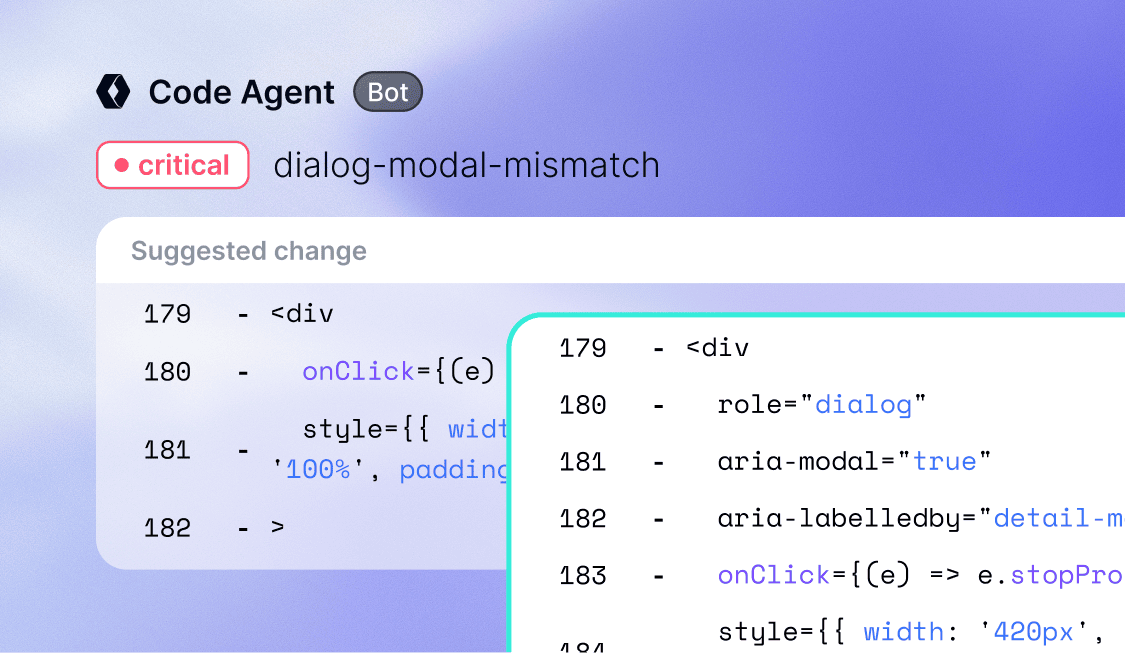
Researching accessibility fixes takes valuable dev time away from the work that drives business. accessFlow Code Agent works inside GitHub: it reviews every pull request, flags accessibility issues, and suggests the fix. It can also scan the existing repository and open pull requests for issues already in the code. Either way, developers stay in full control, deciding what to approve and what to reject. For teams using AI coding tools, the accessFlow MCP brings accessFlow’s findings and fixes right into those tools. Organizations with a mature codebase often start here.
QA
QA teams guard every release, but they aren’t accessibility experts. The accessFlow SDK lets QA and DevOps teams run accessibility checks in the test suites and CI/CD pipelines they already use, so accessibility issues come up alongside every other test result, before release. It’s a good place to begin for organizations with established testing workflows.
Production
Every update to a live website or web app is a chance for new issues to slip in. The Site Scanner monitors live properties, prioritizes issues by severity, and gives clear guidance on how to fix them. Organizations responsible for a live website or web app may want to start here.
Managing accessibility across the organization, from one place
Accessibility often involves teams across the organization. Product managers, marketing and digital teams, and compliance owners all need a clear understanding of progress, even if they never open a pull request.
- Product: Product managers are under pressure to deliver with limited resources, and accessibility can pull focus from the work that drives business impact. The accessFlow dashboard brings every stage, team, and digital property together in one place, so product managers can prioritize what’s urgent and keep the roadmap moving. Issues flow into Jira, ClickUp, Asana, Linear, and more, so accessibility work moves with the rest of the backlog.
- Development and engineering: Developer time is limited, and accessibility competes with every other engineering priority. When issues are spread across teams and repositories, it’s also hard to know what to tackle first. The accessFlow dashboard brings it all together in one place and highlights what’s urgent, so engineering leads can allocate developer time where it matters most and track progress as the work moves forward.
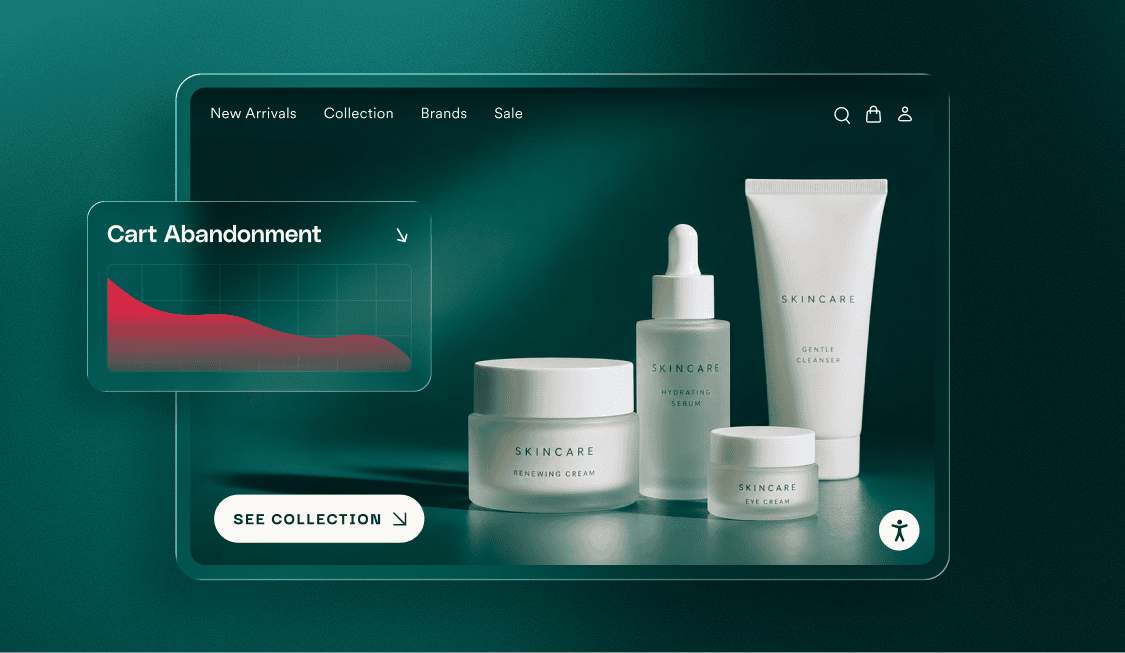
- Marketing and digital: Marketing and digital teams already have full plates, and accessibility rarely makes it to the top of the to-do list. On top of that, websites and web apps don’t stay still. As new pages, content, and campaigns go live, the Site Scanner flags what’s urgent, and user journeys audit key flows like checkouts and logins, so the experiences that matter most stay on track.
- Compliance: Managing accessibility risk is hard when progress is spread across teams and past efforts aren’t documented. With accessFlow, compliance teams get a clear record of progress, what still needs attention, and the work already completed, with findings from expert manual audits managed in the same place.
Fixing the backlog and new code at the same time
Many organizations are dealing with two accessibility problems at once. New code keeps arriving, and every pull request can introduce new issues. Meanwhile, accessibility debt sits in the existing codebase, waiting for someone to find the time to fix it.
Code Agent now handles both:
- For new code, it reviews every pull request as it’s opened or updated, flags accessibility issues, and suggests the fix before the code ships.
- For existing code, it scans the repository and opens pull requests that fix issues already there, starting with the ones that have the most impact.
Teams stay in control the whole way. Code Agent works through code review, so every fix arrives as a pull request for developers to review and approve. Nothing merges without their approval.
Why accessibility can’t be left to chance
With AI coding tools everywhere, many organizations wonder whether a general-purpose AI tool could handle accessibility for them. Those tools can help, but research shows they aren’t reliable on their own.
In the GAAD Foundation’s AIMAC benchmark, 35 of 37 AI models produced multiple critical or serious accessibility issues by default when asked to generate HTML. A peer-reviewed study of leading models found similar results: they often fall short of accessibility standards without repeated prompting and human oversight. And even then, they only help a developer who remembers to ask.
Accessibility is also detailed, technical work, and the requirements behind it keep evolving. It’s not something organizations want to experiment with.
“You don’t want to experiment with accessibility. You want an expert you can rely on, one that knows accessibility and knows the regulations. We live this every day and keep up with every change, so you don’t have to.”
— Keren Kam Einav, VP Product, accessiBe
With accessFlow, that expertise is built in, with clear guidance in every suggested fix. Its WCAG 2.1-based audits and fixes support work toward requirements including Section 508, the ADA, the European Accessibility Act, and AODA. accessFlow is also built with security-first principles, continuous testing, and SOC 2 standards to protect code and data.
And for organizations that need an extra layer of validation, accessFlow is part of accessiBe’s platform combining AI automation, developer tools, and human expertise. Professional services add manual audits, testing, and VPATs, which sales teams often need to get through customer procurement.
Making accessibility part of how organizations work
Teams can start with accessFlow at any stage and expand into more over time, adapting it to fit how their organization works best. Start early, in design and code, to save time and avoid rework. Then keep monitoring through QA and production, so nothing breaks along the way.
Accessibility doesn’t have to compete with everything else on the roadmap. With accessFlow 2.0, it becomes part of how teams already build.
Ready to explore accessFlow? Take the product tour, or join our webinar on November 19 to hear more from the team behind accessFlow 2.0.