Accessibility matters. Yet it keeps slipping to the next sprint, then the one after that, while new features ship and the backlog of known issues quietly grows.
Fixing an issue after the code ships is slow and frustrating. Catching it while the code is being written takes a fraction of the effort, but only if someone on the team has the accessibility know-how to spot it. Some teams need to fix the issues already in their code, some need to stop new ones from shipping, and many need both.
accessFlow Code Agent was built to solve this. It brings accessibility expertise into GitHub, where your developers already work, so issues get fixed in new code as it’s written and in existing code that has already shipped. Here’s why accessibility keeps getting deferred, and how Code Agent changes that.
Why accessibility keeps getting deferred
Most teams do care about accessibility. They simply put it off because it feels complicated, it takes time, and its business impact isn’t always obvious. When a sprint is full, something quicker and more urgent always comes first.
The way issues reach developers makes it even harder. They usually arrive from outside the code, as a ticket, a screenshot, or an audit report. By then, the code has shipped and the team has moved on. Fixing it means tracking down the right file, reopening old work, and switching away from whatever is in progress.
The longer an issue sits in the code, the harder it is to fix.
What is accessFlow Code Agent?
accessFlow Code Agent brings AI accessibility code review into GitHub, where your developers already review, approve, and ship code. It identifies accessibility issues measured against the Web Content Accessibility Guidelines (WCAG) 2.2 and produces the fixes, ready for your team to review.
It does this in two ways. Code Agent PR reviews every pull request, so new issues don’t ship. Code Agent Repo scans the code you already have and opens pull requests that fix existing issues.
| Code Agent PR | Code Agent Repo | |
|---|---|---|
| What it reviews | The code changed in a pull request | Your whole repository |
| When it runs | When a pull request is opened or updated, or on request | On a daily or weekly schedule |
| What your team gets | Review comments with suggested fixes | New pull requests with fixes, ready to review |
| What it’s for | Stopping new issues | Clearing existing issues |
Agentic remediation, with developers in control
Code Agent is built on what we call agentic remediation. The agent does the work: it finds the issue, understands the code around it, and writes the fix. It doesn’t hand your team a list of problems to solve. It hands them the solution, ready for review.
From there, it’s your developers’ call. They accept, reject, or discuss every fix, and nothing merges into your codebase without their review.
Code Agent PR: Stop new issues before they ship
Code Agent PR catches accessibility issues at the moment they’re easiest to fix: before the code is merged. Here’s how it works:
- A developer opens a pull request or pushes new commits to one
- Code Agent reviews the code in the pull request
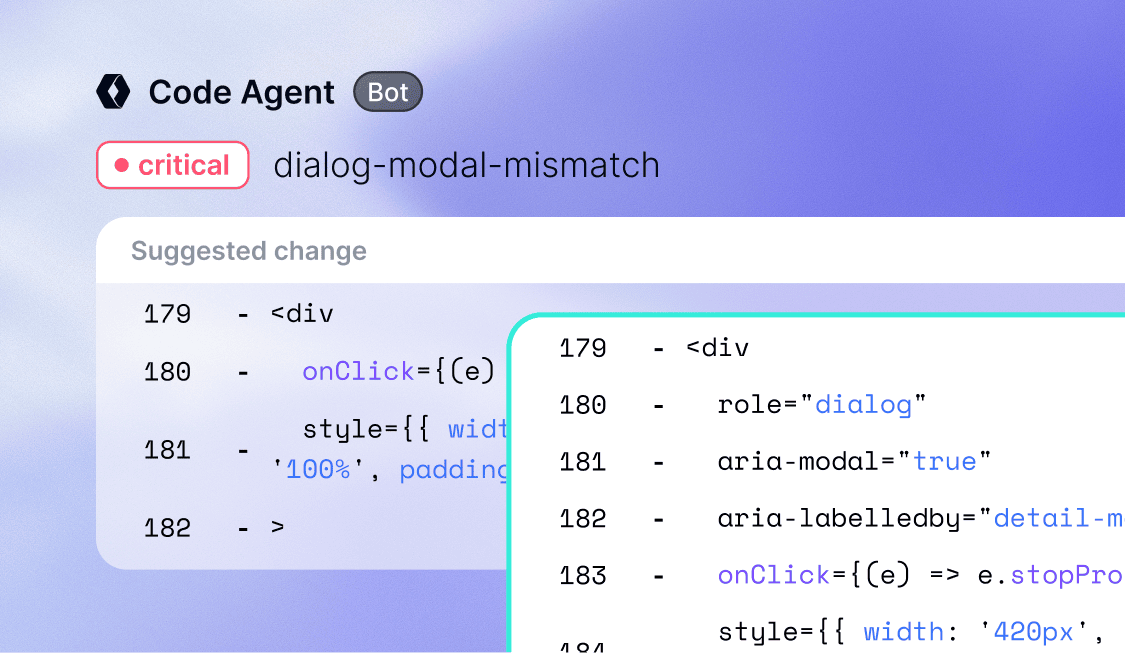
- It comments on the pull request with a summary of each issue and a suggested fix inline
- The developer applies the fix in one click or rejects it
- Once a later commit resolves an issue, Code Agent marks it as addressed
Developers can also talk to Code Agent right in the pull request. They can ask it to explain an issue, suggest an alternative fix, pause, or run a fresh review.
Because Code Agent recognizes whether a project uses React, Next.js, or vanilla JavaScript, its fixes match the codebase they’re going into. For a developer’s-eye view of what this looks like in practice, read this post.
Code Agent Repo: Clear the backlog you already have
Stopping new issues is only part of the job. Many codebases already carry accessibility issues that shipped months or years ago. Code Agent Repo works through them for you.
Once your team turns it on, Repo scans your repository on a daily or weekly schedule. It works in batches, checking the most important files first. When it finds issues at or above the severity you choose, it opens a pull request with the fixes, ready for your team to review and merge like any other.
Repo is designed not to overwhelm your team. It limits how many of its pull requests are open at once. Teams can start small, with only the most severe issues, and widen the scope as they get comfortable.
You choose where to start. Some teams focus on catching issues before they ship with PR, while others start by clearing older code with Repo. Or, use both, and you can fix the accessibility issues already in your code, then keep new ones from shipping.
Your team stays in control
No engineering team wants a new tool slowing down its pipeline. That’s why Code Agent fits around how your team already works, not the other way around. Your team decides:
- What gets flagged: Set a minimum severity and switch off rules that don’t apply to your project
- What gets skipped: Exclude files and folders, such as tests, vendor code, or legacy code
- When it runs: Review every pull request automatically or only on request, and set Repo’s schedule
- What blocks a merge: Optionally require the review to pass before merging, based on the most serious issues only
Your code stays protected too. Excluded files are never read or sent to the AI. Code is reviewed in a private, temporary environment that’s deleted as soon as the review ends, and your source code isn’t stored.
And whatever your settings, one rule never changes: every fix goes through your normal code review, and nothing merges automatically.
Why accessibility needs more than a general AI coding agent
Many teams already use AI coding assistants, so it’s fair to ask: why not just have one of those fix accessibility? The answer is that accessibility takes judgment, not just pattern matching.
A general AI agent works from general code patterns. It often can’t tell which of several valid fixes preserves the design intent. It might miss real issues, or it might flood your team with false positives. And there’s no accessibility expertise behind it to check its work.
accessiBe’s own research points the same way. When accessibility specialists audited two storefronts built with an AI site builder, both had the same critical failures, such as unlabeled pop-ups and broken keyboard focus, no matter how detailed the prompt was. Independent testing cited in the report found that even asking for accessibility in the prompt didn’t reliably fix the code.
Code Agent is built differently:
- It draws on accessiBe’s accessibility data from years of scans, audits, and remediation work
- It checks your code against around 130 accessibility rules, measured against WCAG 2.2
- It suggests the fix that resolves the issue, not the one that simply silences the rule
- It’s backed by the wider accessFlow suite and testing by accessibility experts
Fix accessibility where the code lives
Accessibility shouldn’t be the task that keeps getting pushed back to the next sprint. With Code Agent, your team can keep new issues from shipping and fix the ones already there, all inside the workflow your developers use every day.
Code Agent is one part of accessFlow, accessiBe’s agentic accessibility suite. It works alongside the accessFlow SDK and MCP, which bring accessibility checks into CI/CD pipelines and AI coding assistants, and the Site Scanner, which monitors your live website. To learn more about bringing Code Agent to your team, talk to your account manager or book a demo.